
Why You Should Set Up NAS During Winter Break
NOTE
Key takeaway: simple systems and clear defaults make execution easier.

Photo from Unsplash.
Why You Should Set Up NAS During Winter Break
After deciding which tools to keep and which subscriptions to cancel, the next question is: when do you actually do this migration?
Setting up a NAS takes time. A lot of time. Imagine your entire digital life taken from the cloud and moved locally. Photos. Documents. Screenshots. Everything.
I took advantage of my company's office stipend and the "quieter" days during the holidays to buy a new NAS and finally get rid of some of those pesky subscriptions. Here's why winter break is the perfect time for this project.
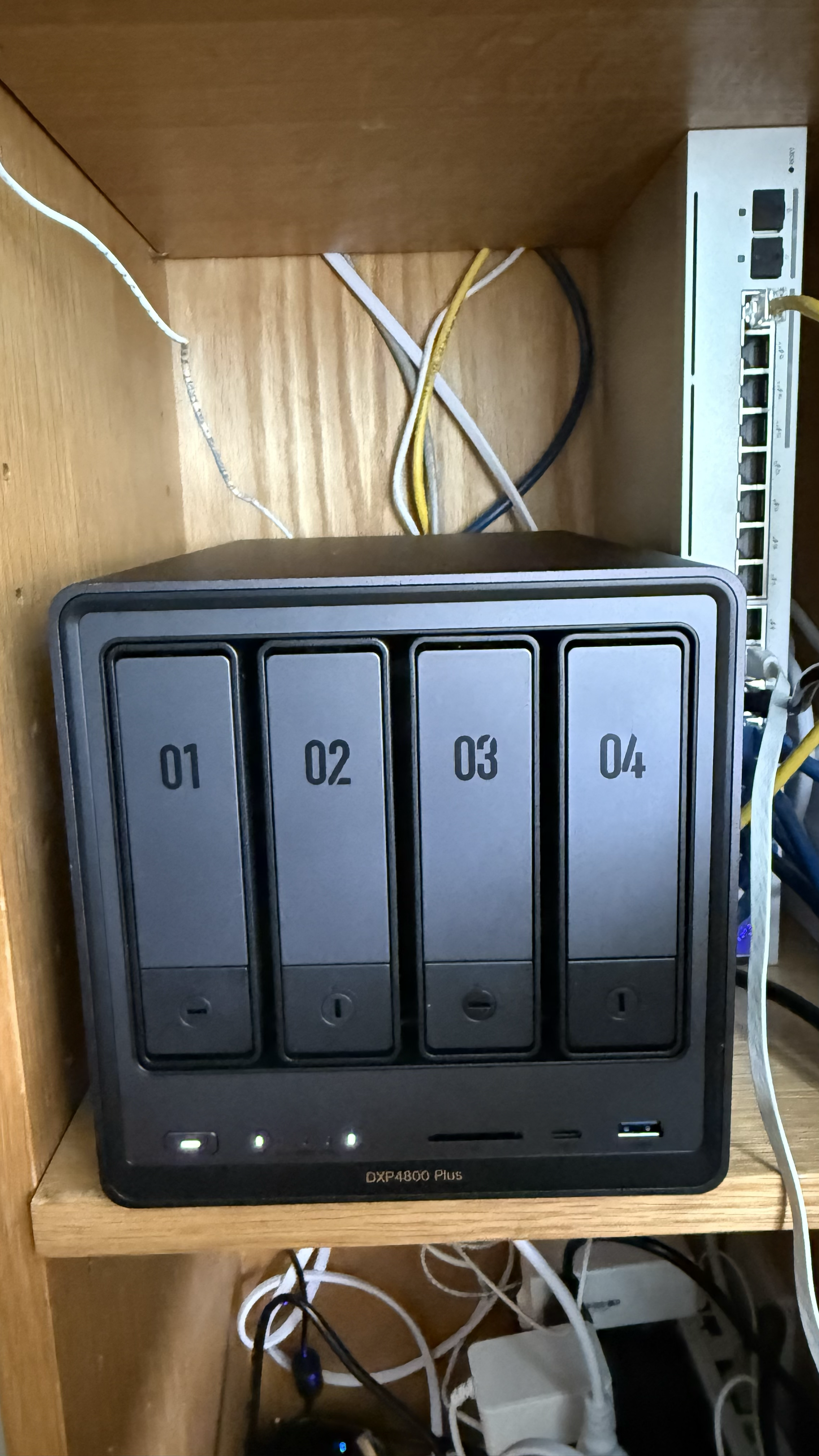 NAS setup showing DXP4800 Plus in home network cabinet.
The Time Reality
Usually I'm flying around to see family, especially during the holidays. This year, we opted to spend time outside of the holidays.
What I Thought: I'll set it up during a day in between Christmas and New Year's so as not to interrupt a restful and celebratory time. Should take a few hours. Easy.
The Reality:
PREP
- Google Takeout download: 4-6 hours (depending on your data)
- Dropbox export (via zipped folders): 2-3 hours
- Extracting and organizing: 4-6 hours
ACTUAL SETUP
- NAS unboxing and physical setup: 0.5 - 1 hour
- Actual setup and containerizing apps: 1 hour (yes really that easy!)
- Migration and verification: 2-3 hours — this is where scope really creeped
- Deduplication and organization: Ongoing (could be days/weeks)
Total Time: A full weekend, minimum. Probably more.
This isn't a Saturday afternoon project. This is a "I have time to lounge around" project.
Why Winter Break Is Perfect
The Time: Quieter work days (if you have them), fewer meetings, more time to let things run in the background, time to actually think through the setup.
The Mindset: Less pressure to be "productive," time to experiment and troubleshoot, space to make mistakes and fix them, opportunity to actually plan (not just execute).
I took advantage of the office stipend and the "quieter" days during the holidays. I had time to research and plan, set up properly (not rush), let migrations run, and actually think through the process.
Winter break gave me the time and mental space to do this right, not just fast.
To be fair, this time can also be used for any honey do list if weather and timing permits. I blocked off time since I knew I wasn't traveling and knocked out some of my other tasks to ensure I had time.
So, What Took So Long?
It was the prep. Setup and all the apps you'd ever want to set up could be reviewed ahead of time on YouTube to give you an estimate.
Physical Setup: Unboxing, placement (the actual device looks bigger than expected), cable management, network connection setup. Time: 0.5 - 1 hour
Software Setup: NAS OS setup (UGOS in my case), network configuration, user accounts and permissions, app installation (Immich, etc.). Time: 2-3 hours.
Data Migration: Google Takeout request and download (can take hours/days), Dropbox export via zipped folders (no easy way to export—more reason to leave it!), extracting through terminal with 7Z. Time: 8-12 hours total (mostly waiting, but still).
Organization: Deduplication is happening now. Immich is going through my photos and videos. Time: Days/weeks (background process).
The Planning Phase
What I Did: Black Friday deal snooping, did a Google Takeout, reviewed files to migrate, watched setup videos, checked with my friend Claude for planning.
What I Should Have Done: Better cleanup before migration (more on this in the next post), more research on deduplication tools, better organization of existing files, more realistic time estimates (as I'll cover in the AI post).
Planning helps, but you'll still learn as you go. That's okay. The key is giving yourself enough time to actually do it right.
The Lounge-Around Factor
Migrations take time (let them run). You'll need to troubleshoot (give yourself time). You'll want to experiment (space to try things). You'll make mistakes (time to fix them).
My Saturday: Started in the morning, let downloads run while I did other things, troubleshot issues as they came up, took breaks (because you need them), finished...eventually.
This isn't a sprint. It's a marathon. Give yourself the time.
The Bottom Line
Why Winter Break: Time to actually do it (not rush), mental space to think through decisions, opportunity to let things run, less pressure to be "productive."
What to Expect: Full weekend, minimum. Technical challenges. Time for migrations to run. Ongoing organization.
The Real Test: Give yourself the time. Don't try to do this during a busy week. Winter break (or any extended break) is perfect because you can lounge around while things migrate, troubleshoot when needed, and actually enjoy the process.
My Recommendation: Plan for a long weekend. Start on a Thursday or throughout the week for the migration prep. While you're doing that, you can set up the space where your NAS will physically sit and start setting up the volume (which can take ~10 hours). Technically once your volume is set up, your NAS is ready to go. For me, the data migration is still ongoing since I have ~1Tb of data. Give yourself Monday too if you can. Let things run. Take breaks. It's worth it.